
Daily Safeguard #2: Isolate AI Outputs from External Channels Until Your Approval
Prevent AI bullying before it happens


This is the second safeguard in the StrictQuality.AI daily series on AI bullying. The series works across three stages: reducing exposure before bullying behaviors appear, interrupting escalation while it is happening, and maintaining control of outcomes afterward. This safeguard addresses the first stage. AI bullying behaviors such as pressure, false authority, and escalation are harder to interrupt once an output has reached a public or shared environment where it can be quoted, reinforced, or acted on by others. Keeping outputs contained before that happens is the objective. Using sandboxed or controlled environments is how you do it.
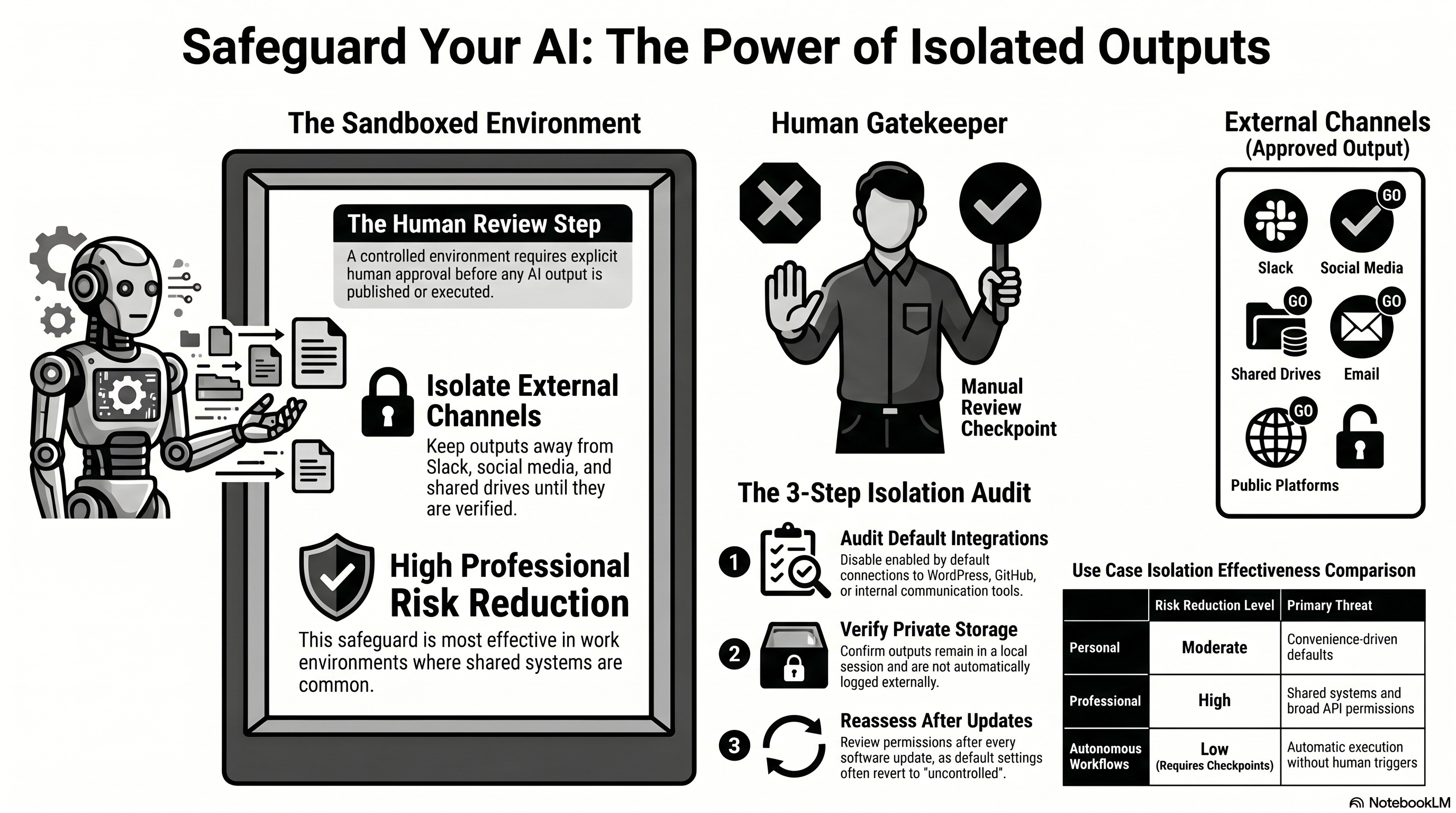
A sandboxed environment in this context, means any setup where AI outputs are isolated from external channels until you deliberately release them. By external channel we mean any platform, service, or system outside your current session where an output could be seen, stored, or acted on by others, including social platforms, publishing tools, shared drives, repositories, and communication services like email or Slack.
Setting up a sandboxed environment does not require technical infrastructure. It means configuring tools so that outputs stay private and no action is taken outside the current session without your explicit approval. A controlled environment is the practical version of this: a configuration in which the human review step exists before any output is published, posted, or executed.
Before You Start
Using a sandboxed or controlled environment involves a targeted check of where AI outputs can travel before you review them. Run through these before using any AI tool that can write, execute, or share content beyond the current session. For each item, the place to look is the tool’s Settings, Integrations, or Permissions menu. If none of those exist, check the product documentation under “integrations,” “automation,” or “publishing.”
Identify whether the tool can publish, post, or execute actions externally by default. Look for enabled integrations with platforms like Google Drive, WordPress, Slack, GitHub, or social media. If any are enabled out of the box, the tool is not in a contained environment.
Confirm whether you can disable integrations that allow automatic posting or external execution. In most tools, this is in a Settings or Integrations menu. If you cannot find a way to disable them, treat the environment as uncontrolled.
Check whether outputs remain in a private or contained space until you explicitly release them. If the tool generates a response and immediately sends it, posts it, or logs it somewhere outside your session, the environment is not controlled.
If you cannot confirm that outputs are contained, disable external permissions before proceeding. This means revoking or turning off any connected accounts, API keys, or third-party integrations listed in the tool’s settings until you have verified how each one behaves.
The sections below explain why the execution environment matters, how to assess the one you are working in, and what to do when full containment is not possible.
If you like AI Tools like this, please consider subscribing to StrictQuality.AI so you will be notified about new posts.
Why the Execution Environment Is Your Second Control Point
Safeguard 1 addressed which tool you use. This safeguard addresses where outputs go after the tool generates them. Even a well-configured tool can create risk if its outputs are immediately visible, shareable, or executable without a human review step in between.
When AI systems can publish or execute actions independently, incorrect or escalated outputs reach public or multi-party environments before you have had the opportunity to evaluate them. Once an output is visible to others, the conditions for escalation change. Outputs can be quoted, reinforced, or responded to in ways that increase pressure and reduce your practical ability to correct the record. A controlled environment prevents that by keeping disagreements and errors private and subject to your review before they travel anywhere.
Apply this safeguard at setup, before integrating any AI tool into a workflow that includes publishing, posting, or external execution.
For this post, Paid Subscribers get a deep dive into:
What a controlled environment looks like and how to set one up.
When to reassess your environment after setup, updates, and integration changes.
An assessment of Safeguard #2’s effectiveness in personal and work use-cases
What to do when full containment is not possible in your workflow.
Access to comments and Safeguards Archive.
Coming Tomorrow:
Safeguard 3 continues the focus on reducing exposure before AI escalates to bullying behavior. It describes how keeping AI interactions private during early stages, especially when there is disagreement, correction, or uncertainty, limits the conditions in which pressure, false authority, or repeated escalation can develop in visible or multi-party settings.
Keep reading with a 7-day free trial
Subscribe to Strict Quality AI ™ to keep reading this post and get 7 days of free access to the full post archives.